Rust Python
Functional Dark
Dark VS Code theme for long Rust / Python sessions. Three ranks. Markdown and TypeScript ride along.

The idea
Most themes light everything; nothing is lit. Here contrast is a budget: cool for functions, warm for control; code / comments / literals share a band.
- Functions preattentive; control distinct.
- Related semantics share a colorband.
- Low false-salience; less eye strain.
- Rust / Python first; MD / TS next.
Three ranks, on the golden section
Visual emphasis is limited to three ranks to keep
contrast reliable and false salience low. The intensities aren't picked
by feel — they step down the golden ratio: 1.0,
0.618, 0.382. (The same fourth-rank discipline
The Fold uses on its gradients, one project over.)
| Rank | Intent | Scalar | Visual intensity |
|---|---|---|---|
| 0 | Primary focus — actions, errors, key edges | 1.000 | Highest chroma, highest contrast |
| 1 | Secondary focus — types, structure, navigation | 0.618 | Mid chroma, mid contrast |
| 2 | Tertiary context — hints, punctuation, low-salience UI | 0.382 | Low chroma, lower contrast |
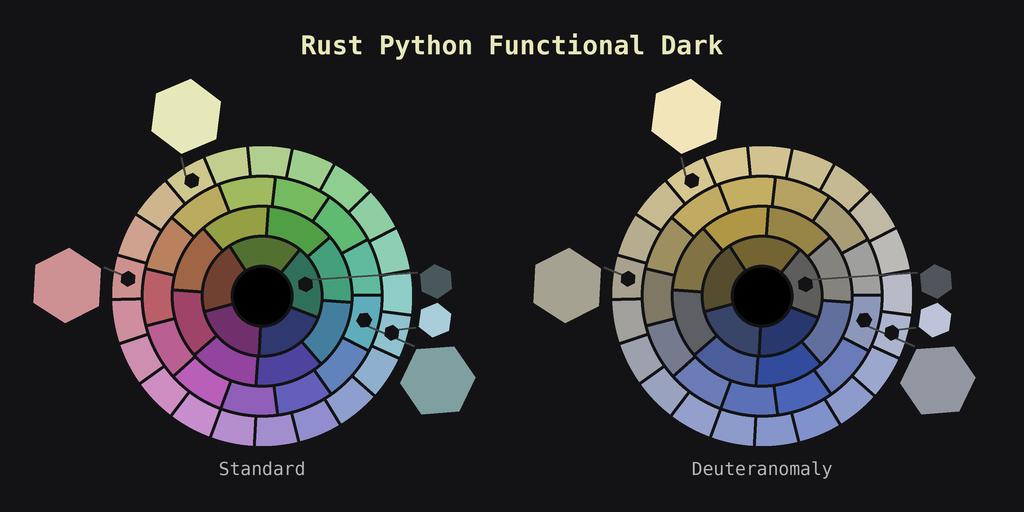
The palette was explicitly tuned against contrast-ratio checks for deuteranomaly / deutan-deficient viewing. Accessibility isn't a post-hoc audit here; it's a constraint the hues were chosen under.
The palette
Ten named tones, each with a job. Names courtesy of Name That Color and color-name.com.
Install
In VS Code: Extensions → search “Rust Python Functional Dark” → Install → then Preferences → Color Theme. Or grab it from the Marketplace. MIT licensed; source on GitHub.